# Catfish Cloud · Common Problems
Condensed English edition.
# What it is (read this first)
It is not a file-sharing drive
Catfish Cloud is not a Dropbox-style file transfer. It puts Revit's central file collaboration on the network.
- Revit natively only supports central file collaboration inside a LAN
- Catfish Cloud lets you edit the same central file while working from different locations
So it is several people editing one project file simultaneously, not everyone modelling a piece and exchanging files.
# Quick reference
| Symptom | Cause | Fix |
|---|---|---|
| VPN won't connect | Key expired / VPN not connected first | Regenerate the key (valid 30 days) |
| Cloud stopped working after the plugin licence expired | The two share an expiry | Activate the plugin first, then regenerate the VPN key |
| Sync is slow or keeps failing | Network path issue | Use "network check & optimisation" |
| Don't know how to start | Server not configured | See First-time setup order |
# First-time setup order
Don't reverse the order
Activate the plugin in Revit first, then generate the VPN key and connect. After that both native Revit features and Catfish Cloud work normally.
- Configure the server — configure the required server files before using Cloud; only needed the first time
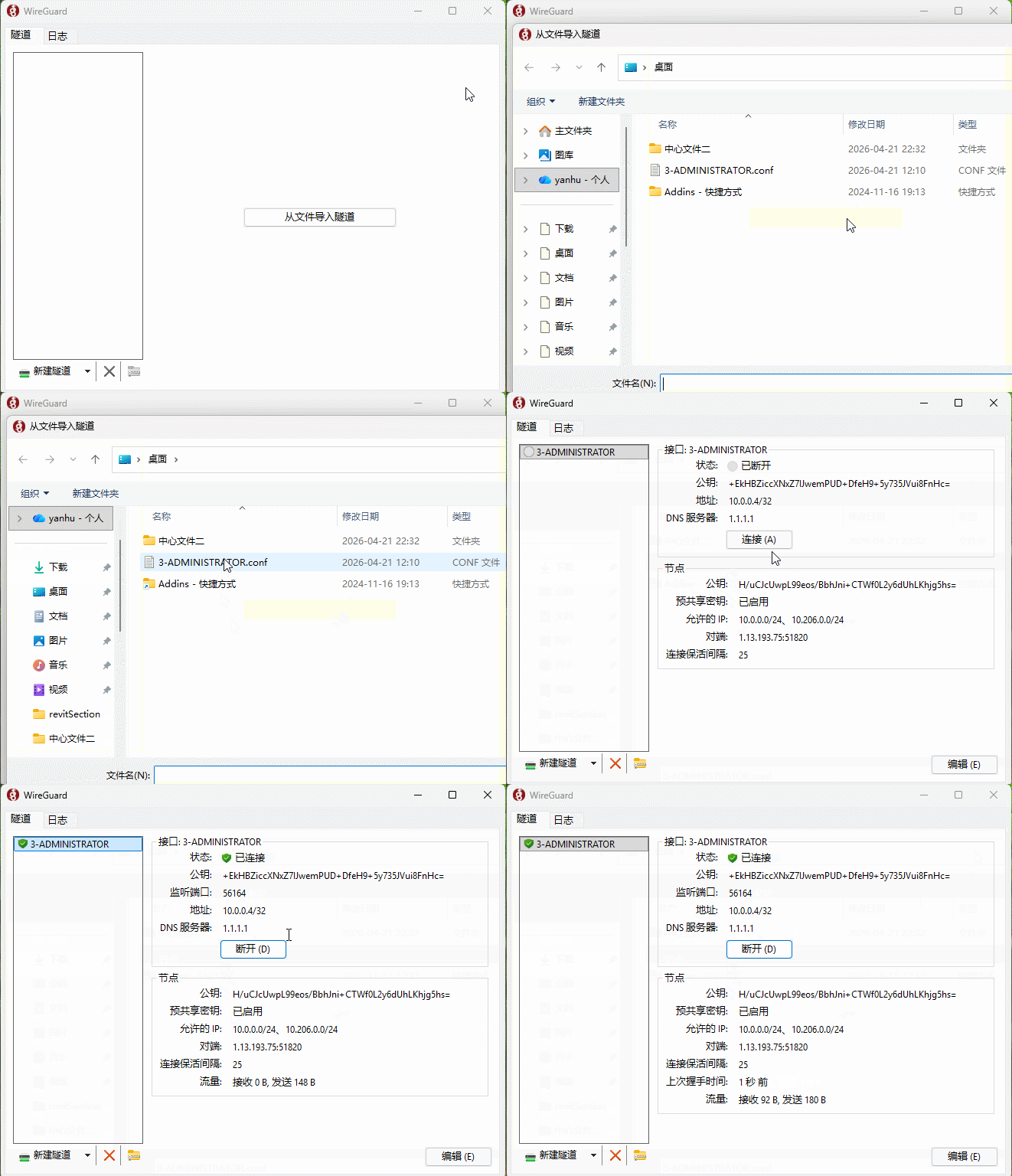
- Generate the VPN key — the file is written to your desktop, named like
3-ADMINISTRATOR.conf - Connect the VPN
- Create a central file / local copy in Revit, then sync normally



# VPN key validity
- The VPN key file is valid for 30 days, matching the plugin licence
- Just regenerate it when it expires
- If the plugin licence lapses, the VPN lapses with it — fix the licence first (see Activation & License)
# Network check & optimisation
When sync is slow or fails repeatedly, use "network check & optimisation" inside the plugin to inspect the link, then contact support.
# How it's currently available
Because Catfish Cloud runs on real servers and compute, it isn't sold as a standalone product — it is generally opened up on request when there is a real project or team collaboration need.
Contact WeChat liuyanhu001 to discuss.
# Capability
Supports Revit 2021–2027, with clear permissions and cloud synchronisation.